
Managing your event guest list: a practical step-by-step guide
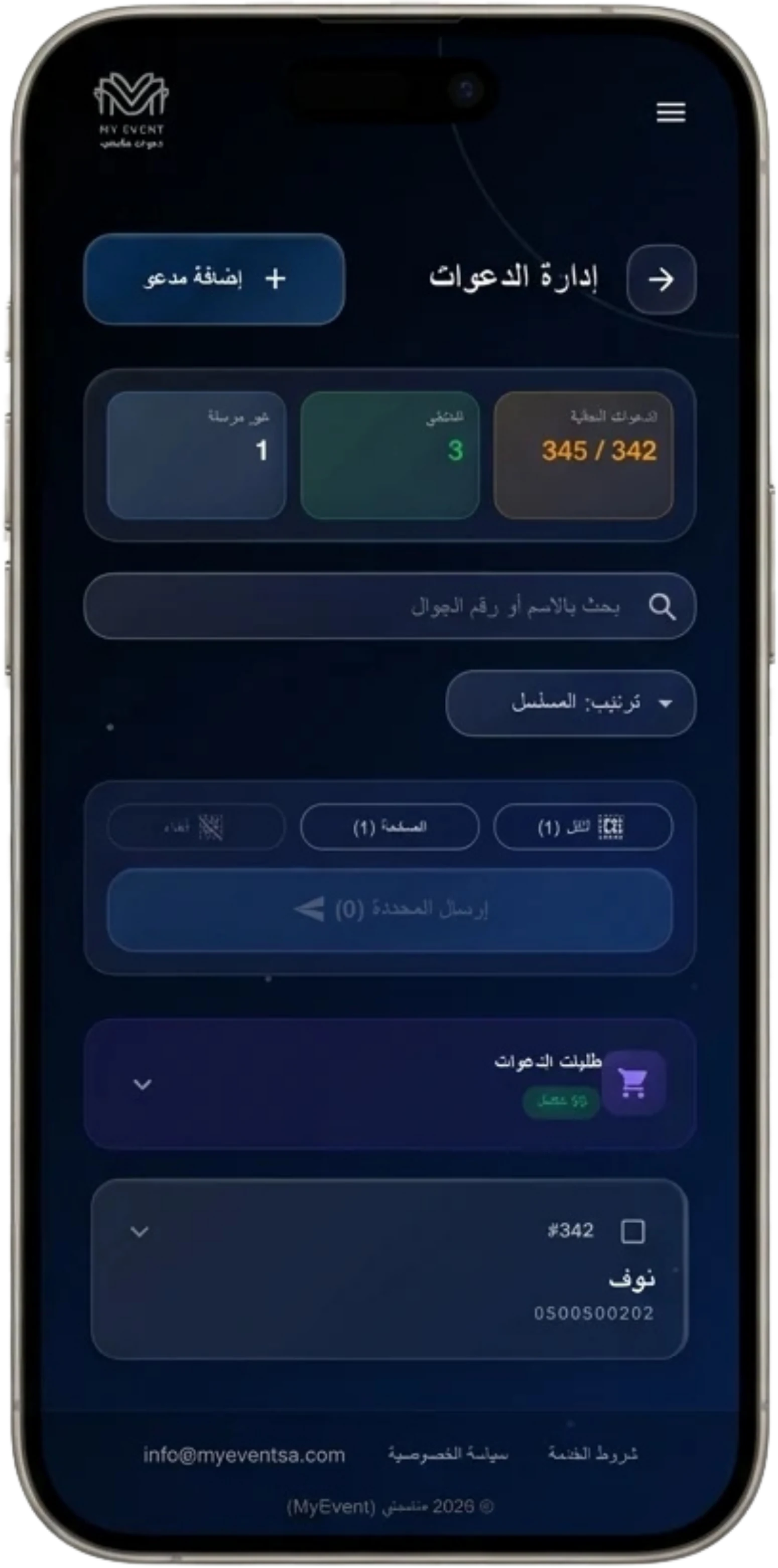
Ask anyone who has organized a large event about the hardest part, and the answer is usually: the guests. Who did we forget? Who confirmed? How many people are actually coming, so we can tell the venue and caterer? A well-organized guest list is half the event’s success — and it makes the other half much easier. Here is a practical, step-by-step guide.
Step 1: Collect every name in one place
Start early and gather names and numbers into a single source — not a paper at your mother’s, notes on your sister’s phone, and a third family group chat. One source prevents duplicates and, more importantly, prevents forgetting someone. Ask both sides of the family for their lists in one format (name + mobile number) and review once before finalizing.
Step 2: Segment the list
Segmentation makes everything after it easier: groom’s family guests, bride’s family guests, VIPs, colleagues. With a segmented list you instantly see which side is missing confirmations, seat tables logically, and know who deserves a personal call instead of a message.
Step 3: Set a companion count per guest
This is the most neglected point — and the biggest source of day-of problems. Decide upfront: this guest comes alone, this one with a companion, this family counts four. When the numbers are set in the invitation itself, guests confirm knowing their allowance, and you know the real expected headcount — no guessing.
Step 4: Send and track RSVPs live
With digital invitations, the whole list goes out over WhatsApp within minutes, and every guest confirms or declines with a tap. The result is one dashboard: sent, confirmed, declined, awaiting reply. Those numbers update in real time — and they are exactly what your venue and caterer need days before the date.
Practical tip: review the “no reply yet” list two or three days before the event and follow up — usually they opened the message and simply got busy.
Step 5: Edit until the last moment
Lists change — that is normal. A guest declines then manages to attend, a new name must be added, a number was mistyped. What matters is that editing stays easy: update any guest or send a fresh invitation even on the event day itself, with changes reflected immediately.
Event day: the gate under control
All that organizing pays off here: at the gate, each guest’s QR code is scanned with a phone in seconds, their name and companion count appear instantly, and attendance is logged live. At any moment you know exactly how many guests are inside — confident that everyone who entered was actually invited.
Ready to organize your list? Build your package around your guest count, and try the interactive demo to see the tracking dashboard yourself.
Ready to prepare your invitation?
Pick a package for your guest count, or browse the designs and order what fits your event.
More articles
All articles- Saudi Wedding Invitations Planning Guide: When to Send and How to Categorize Your Guest ListAugust 22, 2026 · 5 min read
- Wedding RSVP: How Digital Confirmation Saves You from Phone Call EmbarrassmentAugust 19, 2026 · 5 min read
- Mobile Wedding Invitation Phrasing: Elegant and Concise WhatsApp MessagesAugust 16, 2026 · 5 min read