
QR entry codes: how to keep your event invite-only
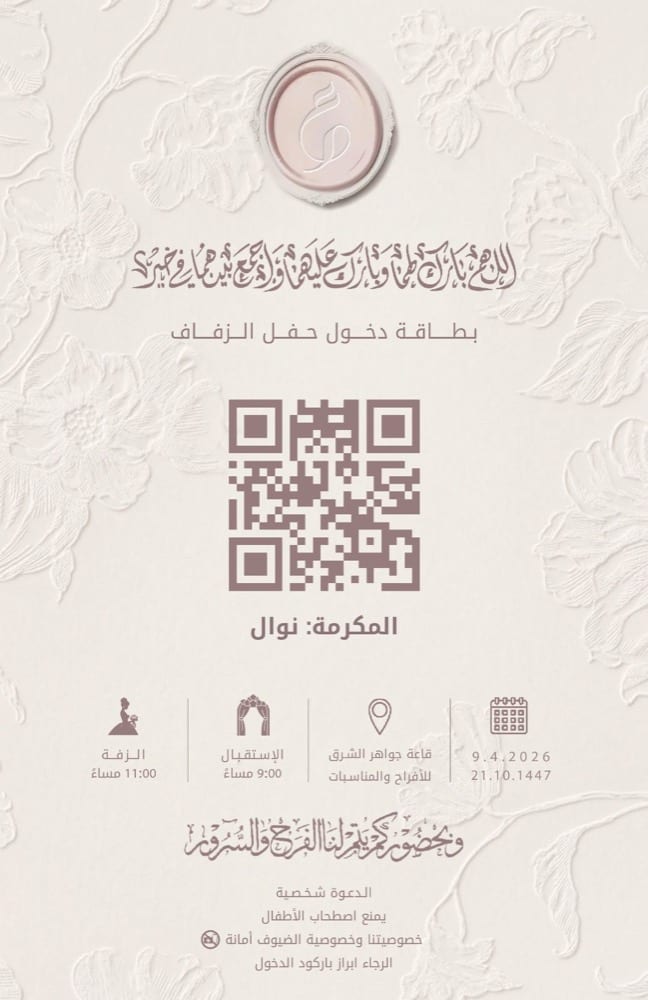
One of the biggest worries for hosts of large events: uninvited people getting in. The venue is booked for a number, catering is counted per head, and privacy matters more than both. Traditional methods — a paper card, or “he said he was invited” — leave the door open to improvisation. A personal QR code closes that door completely. Here is how it works.
How does the personal QR code work?
With every invitation sent over WhatsApp, the guest receives an entry card carrying a unique QR code that belongs to them alone — tied to their name and their preset companion count. It is not a generic image repeated across invitations, but one identifier for one guest, valid exactly once.
At the gate: seconds per guest
On event day, the organizer opens their phone camera on the scanning portal — no special hardware, no app to install. The guest shows their card, one scan, and their name and companion count appear instantly while attendance is logged live. The line moves fast, and the reception stays a reception — not a checkpoint.
What if the invitation gets forwarded?
That is the real question, and its answer is the whole point. If an invitation reaches someone unintended and they try to enter with it, the code is bound to the original guest’s name — which the greeter sees at the moment of scanning. And once a code is scanned, it is spent: any second attempt with the same code is rejected on the spot. The practical result: a forwarded invitation does not open the door.
Numbers you watch in real time
Beyond control, scanning gives you a live picture of the event as it happens: how many guests are in so far, which VIPs have arrived, how many companions entered with each guest. Information that was impossible with paper is right there on your phone.
And your guests’ privacy?
Guest data (name, number, companion count) is used for one purpose: sending invitations and managing attendance for your event. It is not sold or shared for marketing, and the details are laid out in the privacy policy on our site.
Want to see the full experience before deciding? Try the interactive demo, or build your package and enable the personal barcode feature for your next event.
Ready to prepare your invitation?
Pick a package for your guest count, or browse the designs and order what fits your event.
More articles
All articles- Saudi Wedding Invitations Planning Guide: When to Send and How to Categorize Your Guest ListAugust 22, 2026 · 5 min read
- Wedding RSVP: How Digital Confirmation Saves You from Phone Call EmbarrassmentAugust 19, 2026 · 5 min read
- Mobile Wedding Invitation Phrasing: Elegant and Concise WhatsApp MessagesAugust 16, 2026 · 5 min read